Your product page copy for Google and AI, with a live preview
We suggest the title, description and Google copy for each product, and you see live how it looks in your store and in search.
A product page has two jobs. The first is getting found: on Google and, more and more, in AI assistants like ChatGPT or Gemini when someone asks them for a recommendation. The second is getting the visitor to buy. Both depend on the copy: the title, the description and what shows up in search.
The problem is that writing it product by product takes hours, and in many stores the Google copy is left blank. Without it, Google builds the result from whatever it finds, and AI assistants have nothing to tell them what your product is, who it's for and why to choose it.
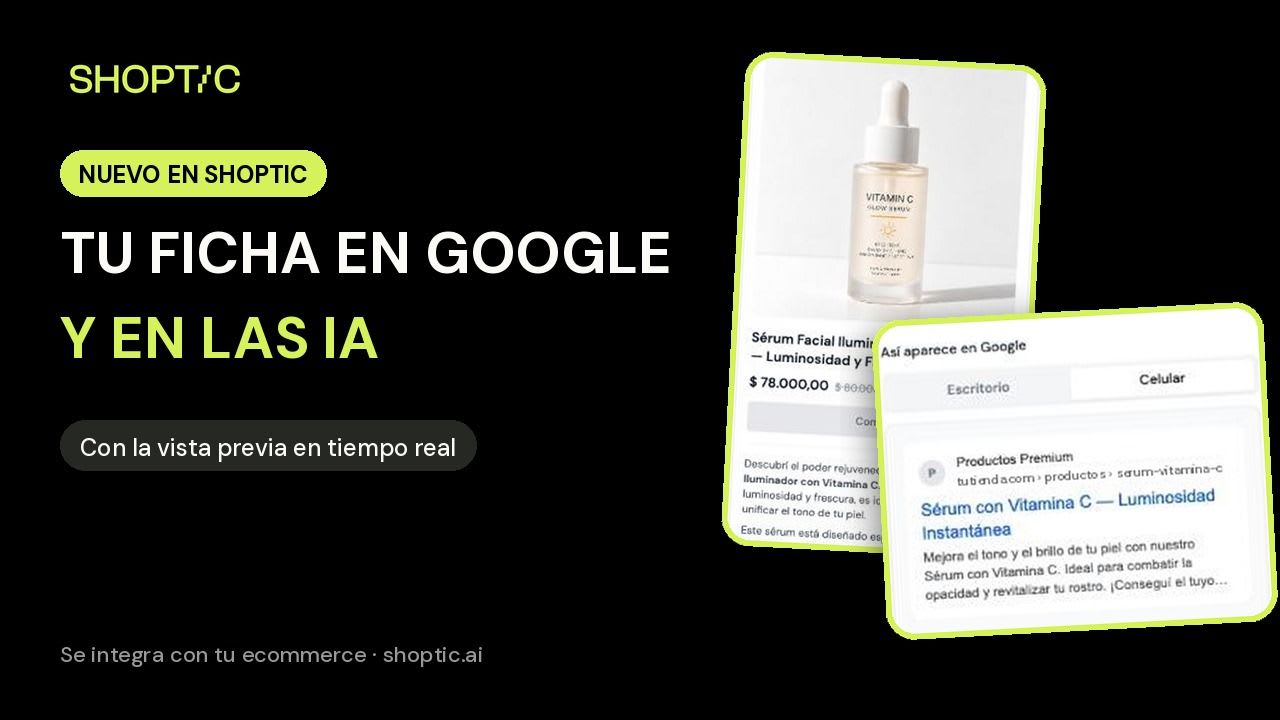
At Shoptic we read every product in your catalog and suggest all the copy for the product page. We're launching a new screen to review it: one text per field and, right next to it, a live preview of how it looks in your store and how people see you when they find you on Google.
Shoptic is our AI built for ecommerce: we connect to your store, read your products and suggest improvements for every part of the product page. Photos, videos, ads, title and description, the copy that shows up on Google, and related products. You review the suggestion and upload it to your store without leaving Shoptic.
One text per field, with the preview right next to it
In a demo, a seller asked us whether the "meta title" was the title of her website. It was a fair question: technical names don't tell you where each text appears. So we redesigned the content screen around a single question: where is this going to show up?
What changed
- One suggestion per field. There used to be two options for each text. Now we suggest one, and if you want to change something, you edit it.
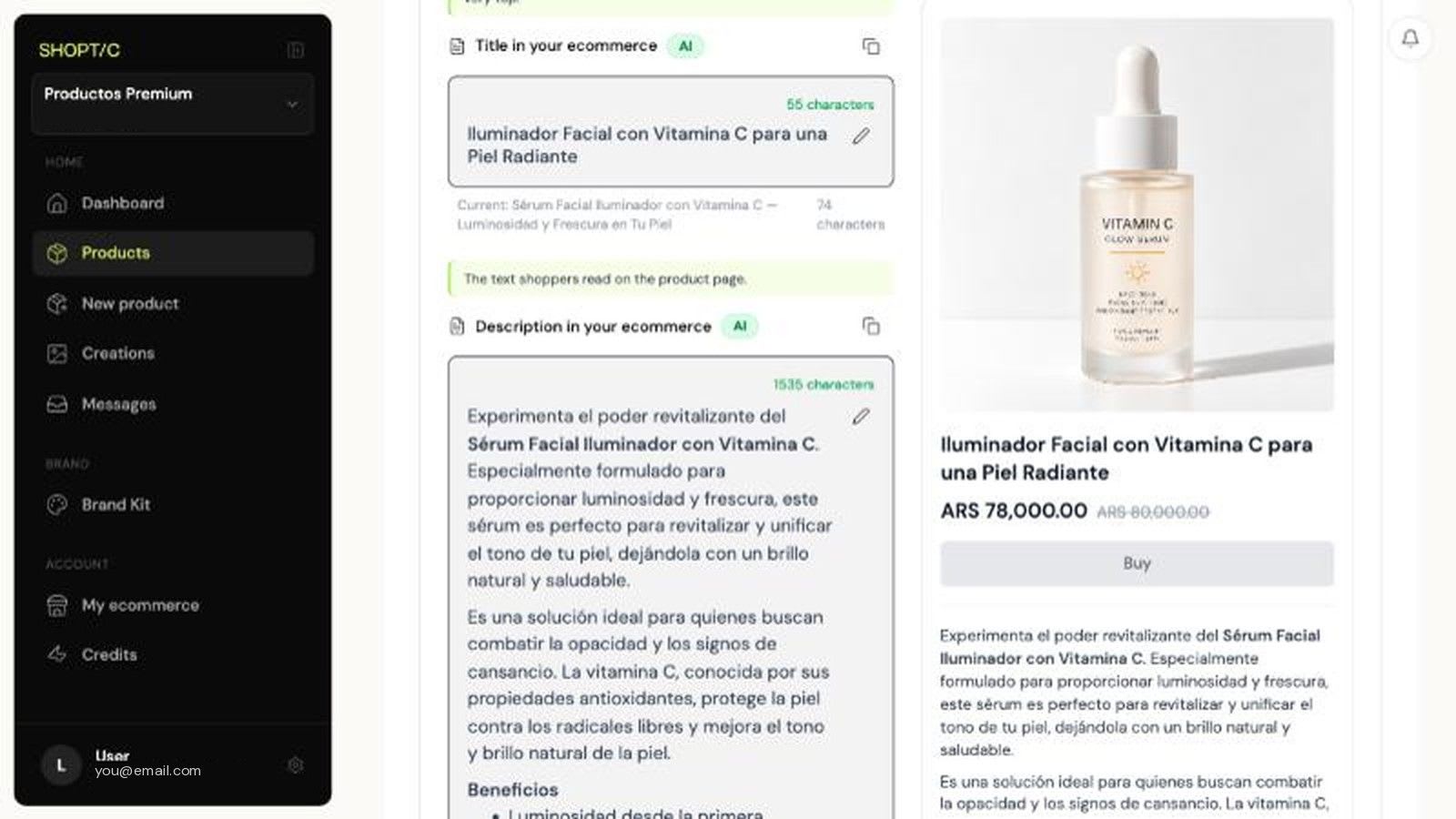
- Names by destination. "Title in your ecommerce", "Description in your ecommerce", "Title on Google" and "Description on Google". Above each field, a line explains where it appears.
- Your store preview, right next to it. You see the title and description the way your customer will, with headings, bold text and lists.
- A visual editor for the description. You edit it like a document, with buttons for bold, headings and lists. No code, and no broken styles.
- The Google preview, on desktop and mobile. If the title or description is longer than what Google shows, we warn you that it will be cut off.
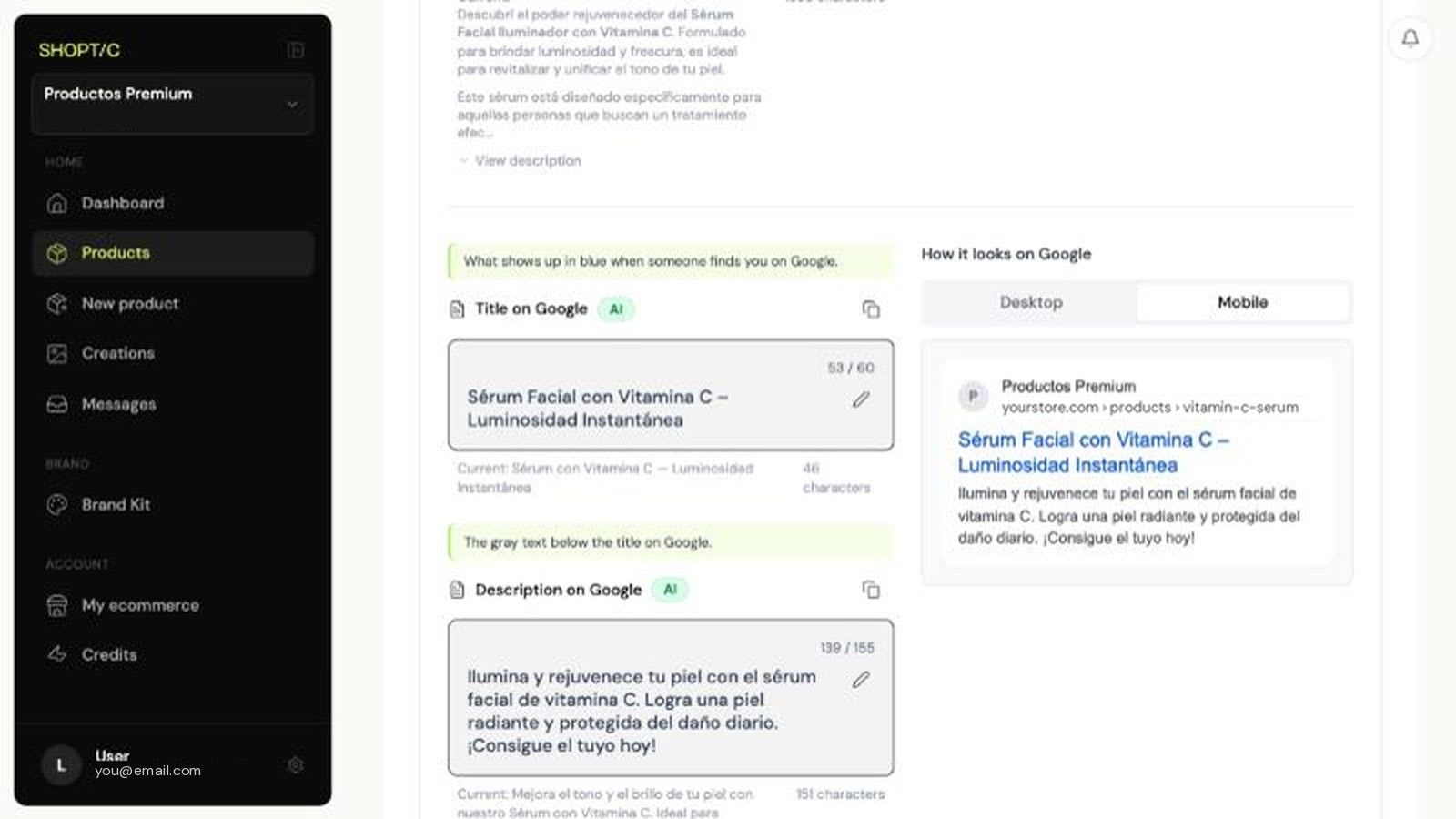
Google recommends titles and descriptions that describe each page well, and it shortens them when they don't fit in the result (it explains this in its snippets guide on Search Central). Seeing the cut before you upload saves you from finding out once it's already live.
That same copy is what AI assistants like ChatGPT or Gemini read when someone asks them for a shopping recommendation. A complete description that says what the product is, who it's for and how it's used gives them what they need to understand it and mention it.
It works the same with all three ways to generate: from the current content, by pasting a URL or by searching by SKU. If you want to know which one suits you, it's explained in how to optimize your ecommerce product listings.
Your whole product page, not just the copy
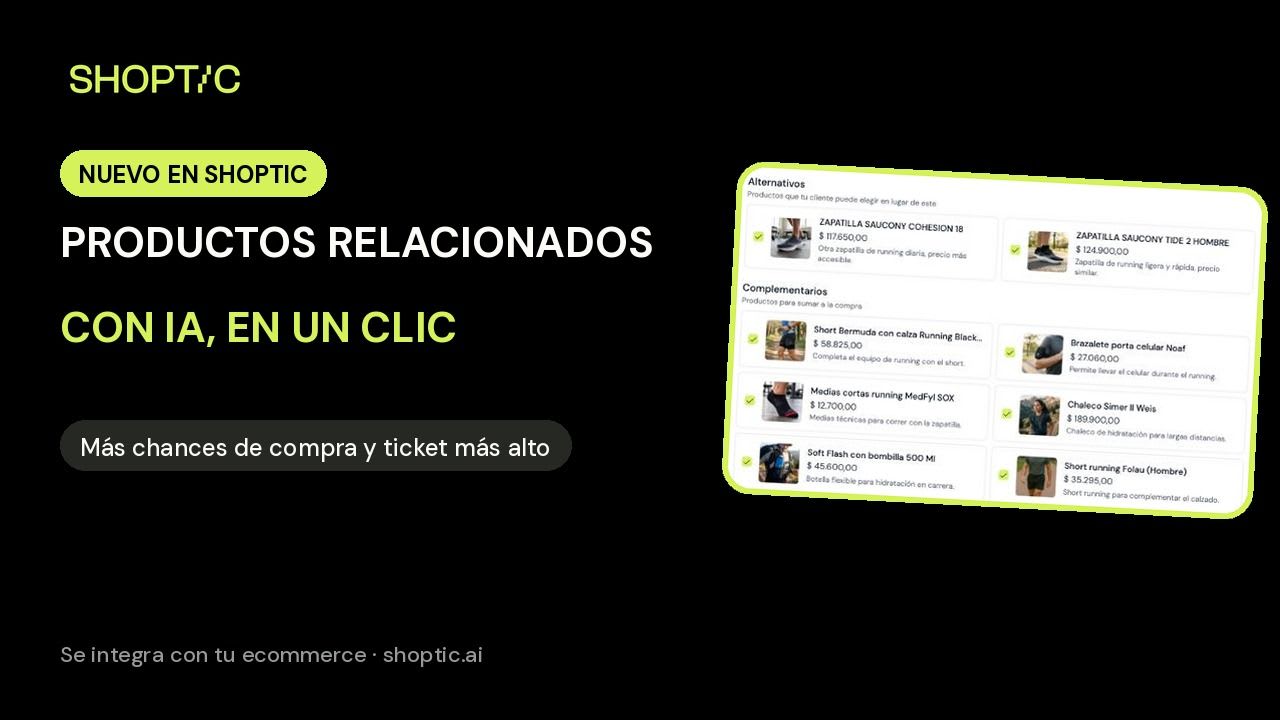
The copy is one part of the product page. We also suggest photos, videos and ads, and now related products too: alternatives and complements from your catalog for each product, which you upload to your store in one click. We cover it in related products with AI. And if you want to see a product page built end to end, there's the case study of a product page transformed in 5 minutes.
Frequently asked questions
What's the difference between the title in your store and the title on Google?
The title in your store is the product name the shopper sees on the product page. The title on Google, also called the meta title, is the blue text that appears when someone finds your product in search. They can be different.
Do I need to know HTML to edit the description?
No. You edit the description with a visual editor, like a document, with buttons for bold, headings and lists. What you see in the preview is what gets uploaded to your store.
Can I upload only some fields?
Yes. Below the suggestion, you check what you want to upload: title, description, Google copy or tags. Only the fields you checked are updated.
How much does it cost to optimize a product page's content?
It costs 5 credits per product if you start from the current content, 10 if you paste a URL and 15 if we search by SKU. It's available on every Shoptic plan, including the free plan.
What is GEO?
GEO stands for Generative Engine Optimization: preparing content so AI assistants like ChatGPT or Gemini understand your product and can mention it when someone asks them for a recommendation. For a product page, that means a complete, clear description: what it is, who it's for, how it's used and what sets it apart.
Try it with a product from your catalog → You start with 100 free credits, no card needed.
Share article: