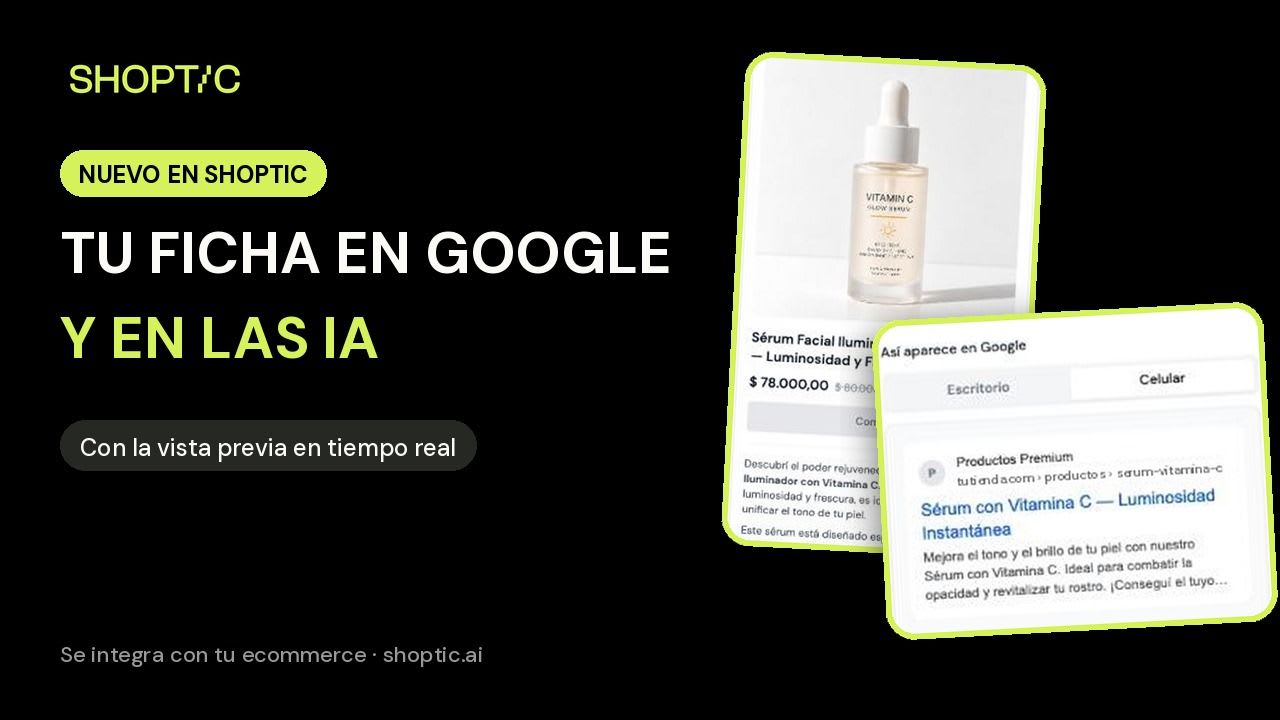
Related products with AI: alternatives and complements from your catalog in one click
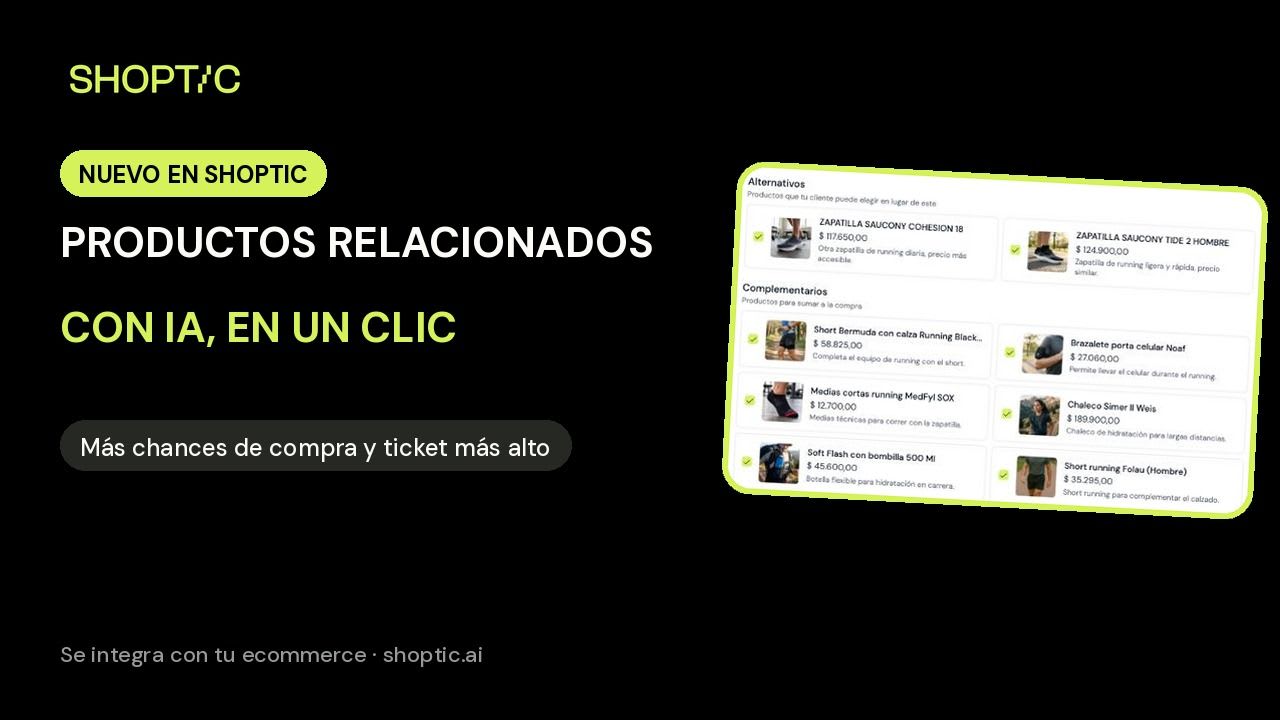
We suggest alternatives and complements from your catalog for each product, and you upload them to your store in one click. More chances to buy and a higher average order.
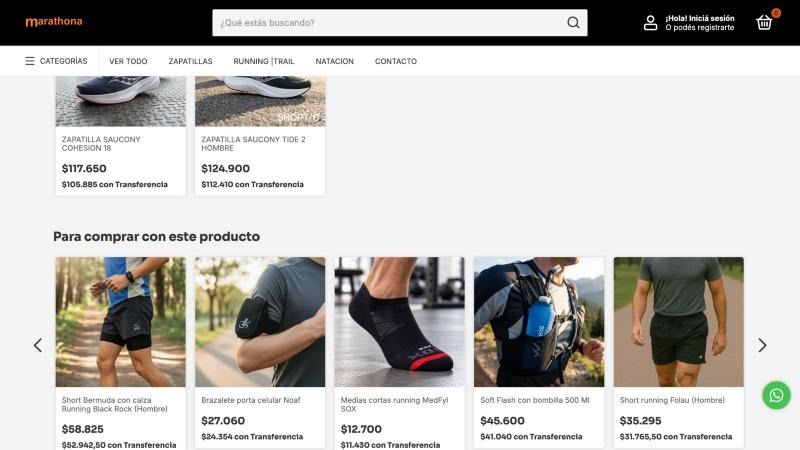
Next to every product, your store shows others: "similar products", "frequently bought together". That block can save a sale that was slipping away or add a second product to the cart. But for it to work, every suggestion has to make sense, and picking them one by one across your whole catalog is a job almost nobody has time for.
That's why we built related products with AI: we suggest alternatives and complements from your own catalog for each product, and you upload them to your store in one click. It's part of how we think about Shoptic now: you connect your ecommerce and we suggest what to improve on each product page.
Shoptic is our AI built for ecommerce: we connect to your store, read your products and suggest improvements for every part of the product page. Photos, videos, ads, title and description, the copy that shows up on Google, and related products. You review the suggestion and upload it to your store without leaving Shoptic.
If you don't set related products by hand, most stores show products from the same category, without looking at what each one is. At Marathona, a running and swimming store, the men's running shoe page showed a pair of cycling tights and a women's tank top. They share a category, but they're no use to someone about to buy that shoe.
Setting them by hand makes sense, but in a catalog of hundreds of products it never gets done. The idea came from a customer who needed it for her store, and we built it with her.
How it works
- Open the product and go to the Content tab.
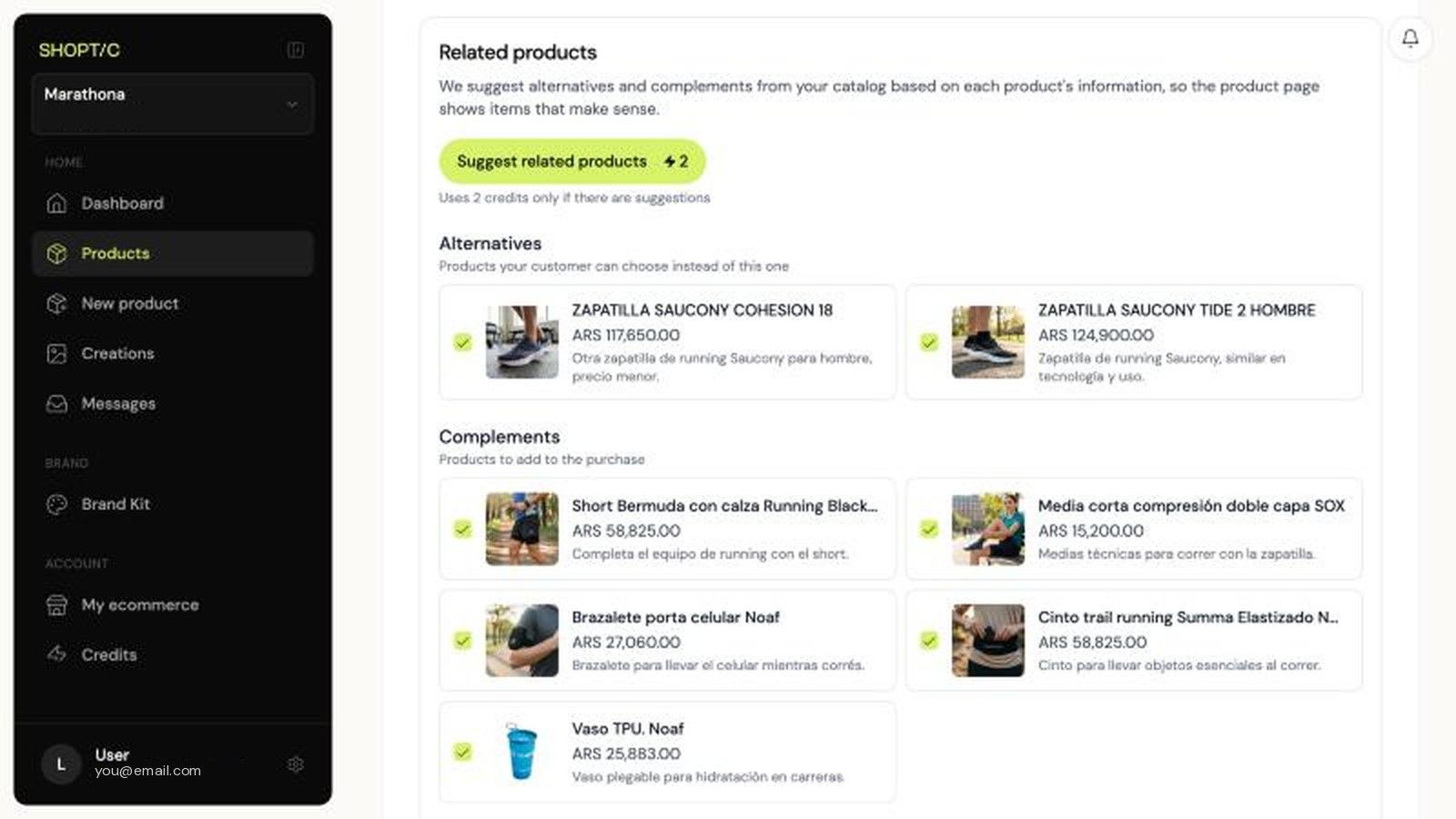
- Tap Suggest related products. We read your catalog: only published products, in stock and different from the one you're looking at.
- We suggest up to 3 alternatives, for the shopper who's undecided or can't find their size, and up to 8 complements, to add to the purchase. Each one comes with a line explaining why.
- Uncheck anything you don't want and tap Save to my ecommerce. They're uploaded to your store in one click, without leaving Shoptic, and they show up on the product page right away.
Why our suggestions are different
We don't pick by category. Our AI analyzes the whole product and goes through your entire catalog:
- It reads the whole product: the name, the categories, the tags and the full description, not just the category.
- It understands the use: what activity it's for. Running is not cycling, and a pool is not a trail.
- It respects who it's for: if the product is for men, we won't suggest one for women; if it's for kids, we won't suggest one for adults.
- It separates alternatives from complements: what the shopper would choose instead of the product and what they'd add on top, with variety (not four pairs of socks).
- If there's no good match, it skips it: we'd rather show fewer suggestions than one that makes no sense.
For Marathona's men's Saucony Guide 18, the result was two running shoes as alternatives and, to add to the purchase, running shorts, technical socks, a flexible bottle, a phone armband and a waist pack.
It's available on every plan, including the free one. It costs 2 credits per product, and you're only charged if there are suggestions.
Why this matters more than a photo
Anyone can take a good photo. What's hard is having your whole catalog complete and consistent: every product with its description, its Google copy and well-chosen related products. You don't get there with a tool that waits for you to tell it what to do. You get there with one that already knows your catalog and brings you the suggestion ready to review.
That's where we're headed. If you want to see how a full product page comes together, check out the case study of a product page transformed in 5 minutes. And if you haven't connected your ecommerce yet, you can start by creating a product without connecting anything.
Frequently asked questions
What are alternative and complementary products?
Alternatives are products your shopper can choose instead of the one they're looking at: another model, another color or something that solves the same need. Complements are products to add to the purchase, used together with the main one.
How much does it cost to suggest related products?
It costs 2 credits per product, and you're only charged if there are suggestions. It's available on every Shoptic plan, including the free plan.
Where do related products show up?
They're saved to the product and shown in your store's related products block, below the product.
Can I choose which suggestions get saved?
Yes. They all come checked, and you uncheck the ones you don't want. Only the checked ones are saved, and they replace any you saved earlier from Shoptic.
Try it with a product from your catalog → You start with 100 free credits, no card needed.
Share article: