How to optimize your ecommerce product listings: the 3 ways Shoptic does it
Shoptic has three ways to generate AI-powered product listings: Current Content, SKU, and URL. Each one is designed for a different starting point. In this guide we explain which one suits your situation.

Your store is set up. Products are loaded. But the listings are a mess.
Two lines of description. No tech specs. No FAQ section. Some copied from the manufacturer, others left blank because you were going to fill them in "later".
That "later" never comes when you have 80, 300, or 2,000 products. And it costs you money: lost sales, customers who close the tab, Google ranking you below the competition. Shoptic has three different ways to generate those listings, each designed for a different starting point.
What is Shoptic? An AI-powered image and content generation tool integrated with Tiendanube and Nuvemshop. It lets sellers create professional product photos, banners, ads, and listing descriptions without a photographer, designer, or copywriter — directly from their store.
Why your listings decide whether customers find you
A product listing isn't just what the buyer reads after they've arrived at your store: it's what brings them there. And today, "getting there" happens through two different places:
Two lines and manufacturer copy
Google ranks you below the competition. ChatGPT and Gemini recommend someone else when buyers ask about products like yours.
Concrete, original, structured info
Google ranks you at the top. AI assistants cite you when buyers search for recommendations.
What makes the difference is the same in both cases: concrete, original, block-structured content. Shoptic generates listings that work across both channels at once.
Your listing needs to answer questions before they're asked
When someone lands on a product page, they already have questions:
- Size, color, materials, dimensions
- Whether it's gluten-free or hypoallergenic
- Whether it's machine-washable or compatible with local voltage
- Whether it arrives before the birthday
Every unanswered question is an excuse not to buy. The customer won't message you on WhatsApp. They'll close the tab and keep looking.
That's why Shoptic builds a dedicated FAQ section into every listing it generates. It's not decorative: it's where sales close — and it's what ChatGPT, Claude, and Google cite when someone searches for products like yours.
The 3 ways to generate listings in Shoptic
| Mode | When to use it | What you need |
|---|---|---|
| Current Content | You already have a listing, even if incomplete | Nothing |
| SKU | New product, you only have the manufacturer code | The SKU |
| URL | You have the manufacturer's official product page | The link |
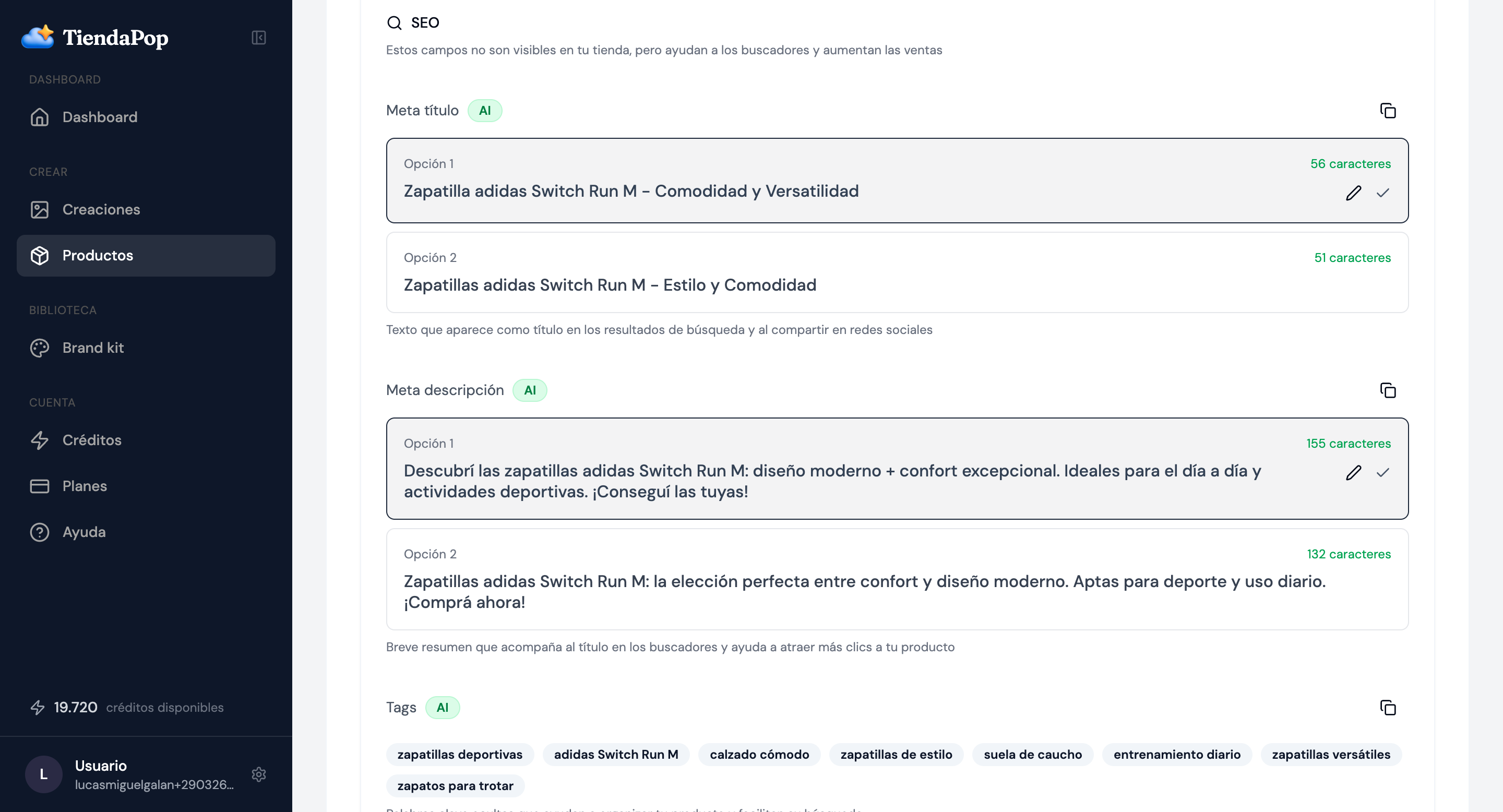
All three generate the same output: title, full description, tech specs, FAQ, meta title, meta description, and tags. What changes is the starting point, not the result.
Current Content

Shoptic takes your existing listing, identifies what's missing, and rewrites it as a complete, optimized version.
It preserves everything you wrote that has value:
- Your own size charts
- Hand-written instructions
- Links to your WhatsApp
- Your brand's particular tone
And it adds the missing blocks: full tech specs, product-specific FAQ, and rewritten descriptions as original content.
SKU
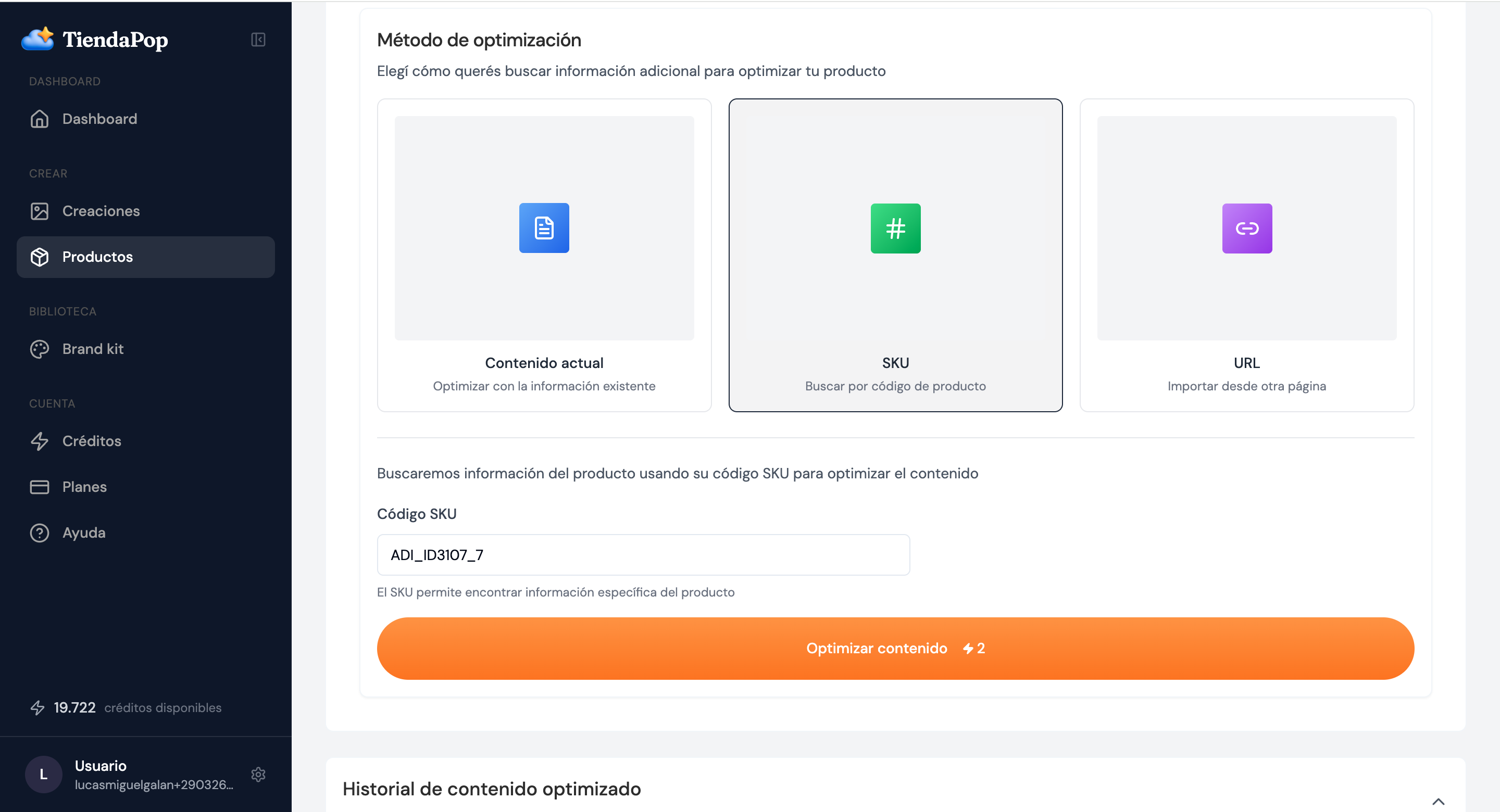
Paste the SKU and Shoptic looks up the product online, finds its specs, and builds the complete listing from scratch.
Works best with:
- Well-known brands (Adidas, Sony, Apple, Black+Decker)
- Products just received from the supplier
- Bulk uploads of new inventory
If the SKU is ambiguous, Shoptic lets you know before generating. It never makes things up.
URL

Paste the URL and Shoptic extracts the relevant information and rewrites it as original content for your store.
What it does with the manufacturer's content:
- Extracts real product specs
- Takes history, materials, usage instructions
- Rewrites everything as original content for you
What it never touches:
- Manufacturer pricing
- Stock and availability
- Official channel warranties
- Images from the source site (you add those yourself)
It never copies more than a few consecutive words. The listing it generates is original text, not a copy-paste that Google would flag as duplicate content.
What Shoptic generates across all 3 modes
Regardless of which mode you start with, Shoptic generates the same set of elements for each product:


The block that explains what changed
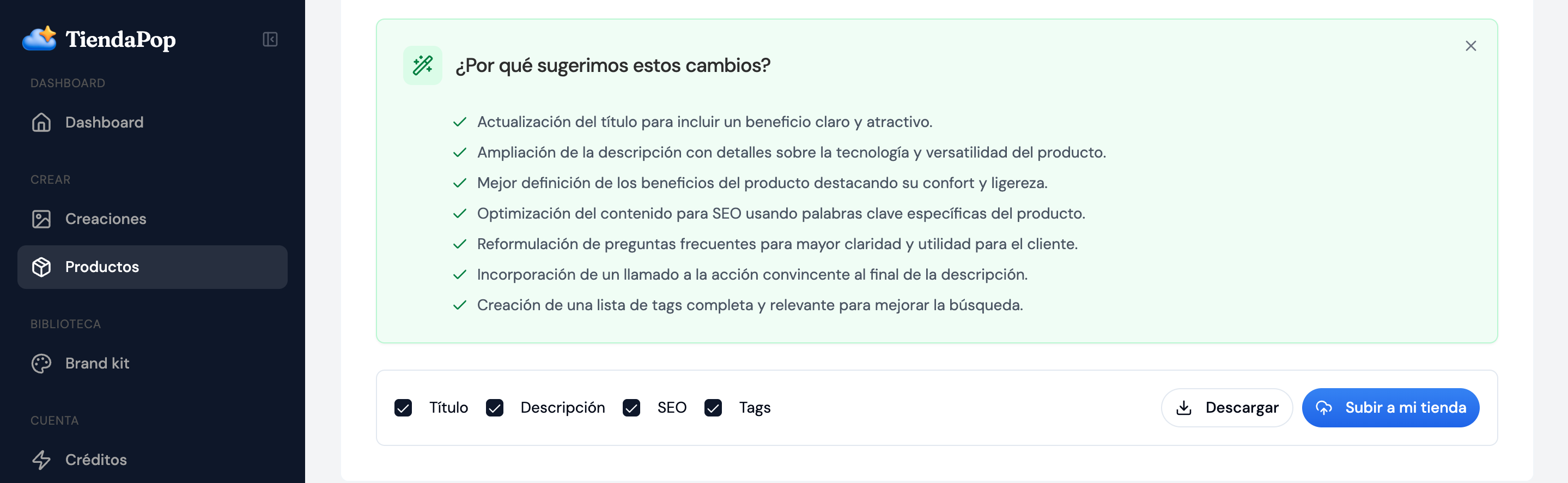
Once the listing is generated, Shoptic shows a section called "Why we suggest these changes": it explains, in plain language, what changed and why each change matters.
And before touching anything, it shows you what you chose to change
Before replacing your listing, Shoptic shows a confirmation screen with everything you chose to modify — title, description, SEO, tags — and lets you decide whether to apply all of it, some of it, or go back. You're always in control.

How to choose which mode is right for you
The most common approach? Mixing all three. Current Content for the existing catalog, SKU or URL for new arrivals. All three modes consume the same credits.
If you want to dive deeper into how to manage your product catalog, check out the official Tiendanube help center.
Frequently asked questions
With Current Content mode, Shoptic takes what you already have and rewrites it to fill in the gaps. It preserves elements you added manually (size charts, WhatsApp links) and adds the missing blocks (tech specs, FAQ). It shows you the new version and you decide whether to publish it or adjust it first.
Yes. Listings are generated optimized for search engines: keywords at the start of the title, meta descriptions designed to drive clicks, block structure that search engines understand, and original content that Google rewards with better rankings.
Yes, and more buyers are searching that way every day. Listings built with clear blocks (tech specs, FAQ, structured descriptions) are the ones AI assistants read and cite when someone asks about products like yours. The FAQ section is especially important for this.
Between 3 and 5 real questions a buyer might have about that specific product — not generic ones. For sneakers: "Should I size up if I normally wear a 7?". For a perfume: "How long does the scent last on skin?". It identifies them based on the product information.
SKU: you only have the code and Shoptic looks up the info online. URL: you have the link to the official product page. If you have both, we recommend URL — it works from a verified source.
All three use the same number of credits per listing. The difference is where they start from, not what they cost.
Try it on your best-selling product
Optimizing your catalog doesn't have to be a months-long project. Pick your best seller and try all three modes.
Start for free →Share article: