What is Shoptic: AI product photos connected to your store
Shoptic is our app for generating product photos with AI, connected directly to your store. What you can generate from your catalog, how it works in three steps, which platforms we integrate with, what it costs and what it doesn't do yet.
The new collection has arrived. You have the products loaded, the descriptions written and the prices set. What's missing is the photo.
And that's where everything stops: getting a date with the photographer, arranging the shoot, waiting on the edit. Meanwhile the collection doesn't go live. And when new product comes in next week, it starts over.
That's the bottleneck we take out of the way.
Shoptic is our app for generating product photos with AI, connected directly to your ecommerce store. You pick a product from your catalog, pick a style and generate the image in one click: no photo shoot, no photographer, no designer. The same catalog also produces videos, ads and the content for your product pages. Today we have 12 ecommerce integrations, and number 12 is an open door: any store that generates a Google Shopping feed.
How to improve the product photos on your online store
The whole flow on a real product, in 48 seconds: pick the product, pick the styles, generate, upload one image to the product page and download another for social.
The generation runs as a timelapse and the rest of the video is sped up. No step of the flow is skipped: what you see is everything there is to do.
Written down, it's three steps.
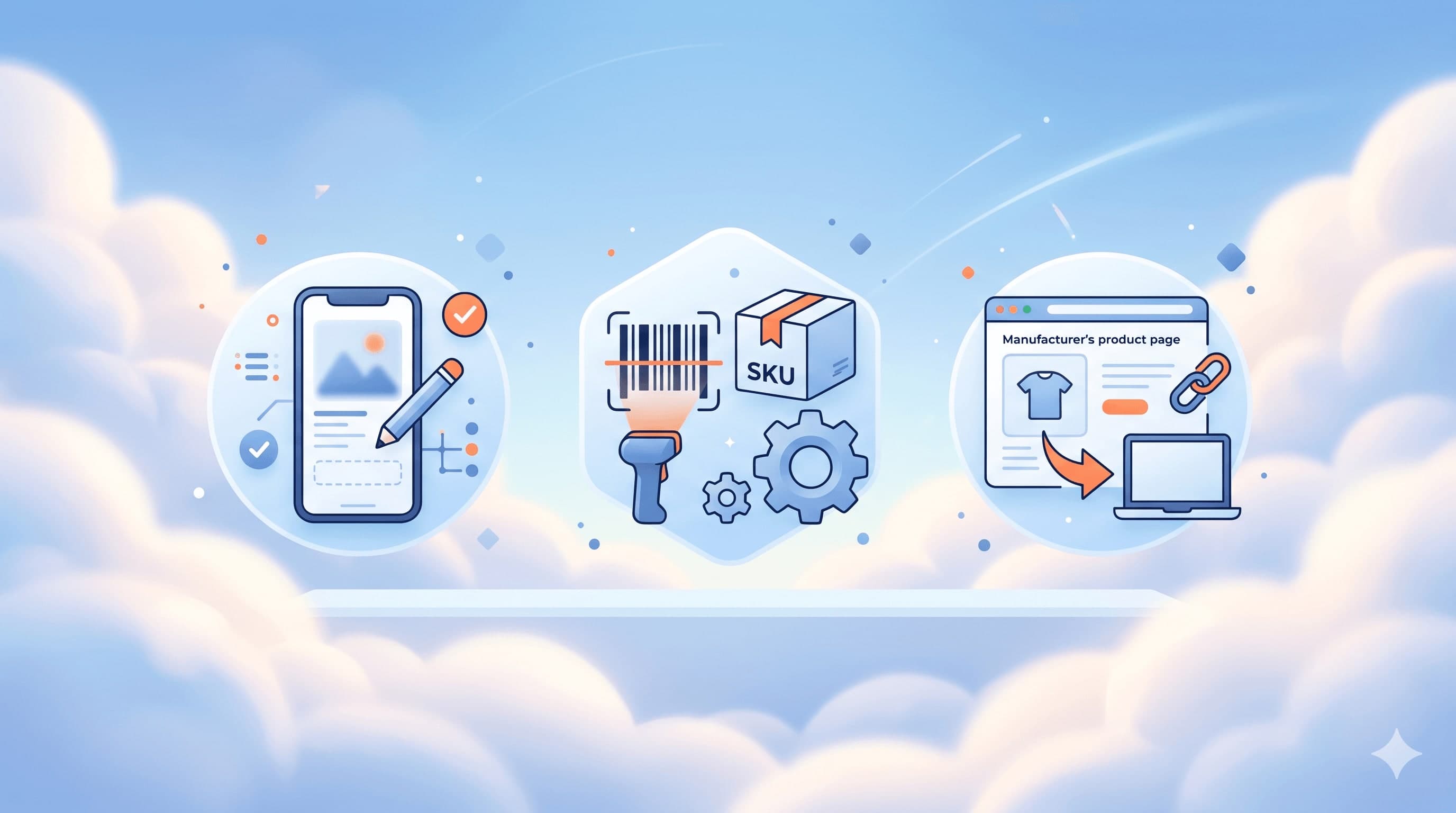
1. You connect your store. You pick your platform and authorize the connection. Your products show up inside Shoptic with the photos and titles you already have. There are no catalogs to export and no files to upload.
2. You generate. You pick a product, pick the style that suits it (clean background, in context, with a model, flat lay) and generate. The AI works on your real product, not on one that looks like it.
3. You publish or download. If your integration is native, you choose which images go on the product page and in what position, from inside Shoptic. If it's external, you download them and upload them from your store's dashboard. You decide what gets published: nothing goes up on its own.
What you can generate from your catalog
It isn't only loose images. The same catalog produces the pieces a complete product page needs and the ones your social channels need.
| Format | What it's for |
|---|---|
| Product images | The page: clean background, in context, with a model, alternate views |
| Videos | Product rotating, in-use context, pieces for social |
| Ads | Campaign creatives, in each network's formats |
| Content | Titles and descriptions optimized for the page |
If you want to finish the whole page, in how to optimize your ecommerce product listings we explain the three ways to generate AI content depending on your starting point.
This is a catalog photo turned into a scene. On the left the product as it was, cut out on a white background. The rest is what came out.
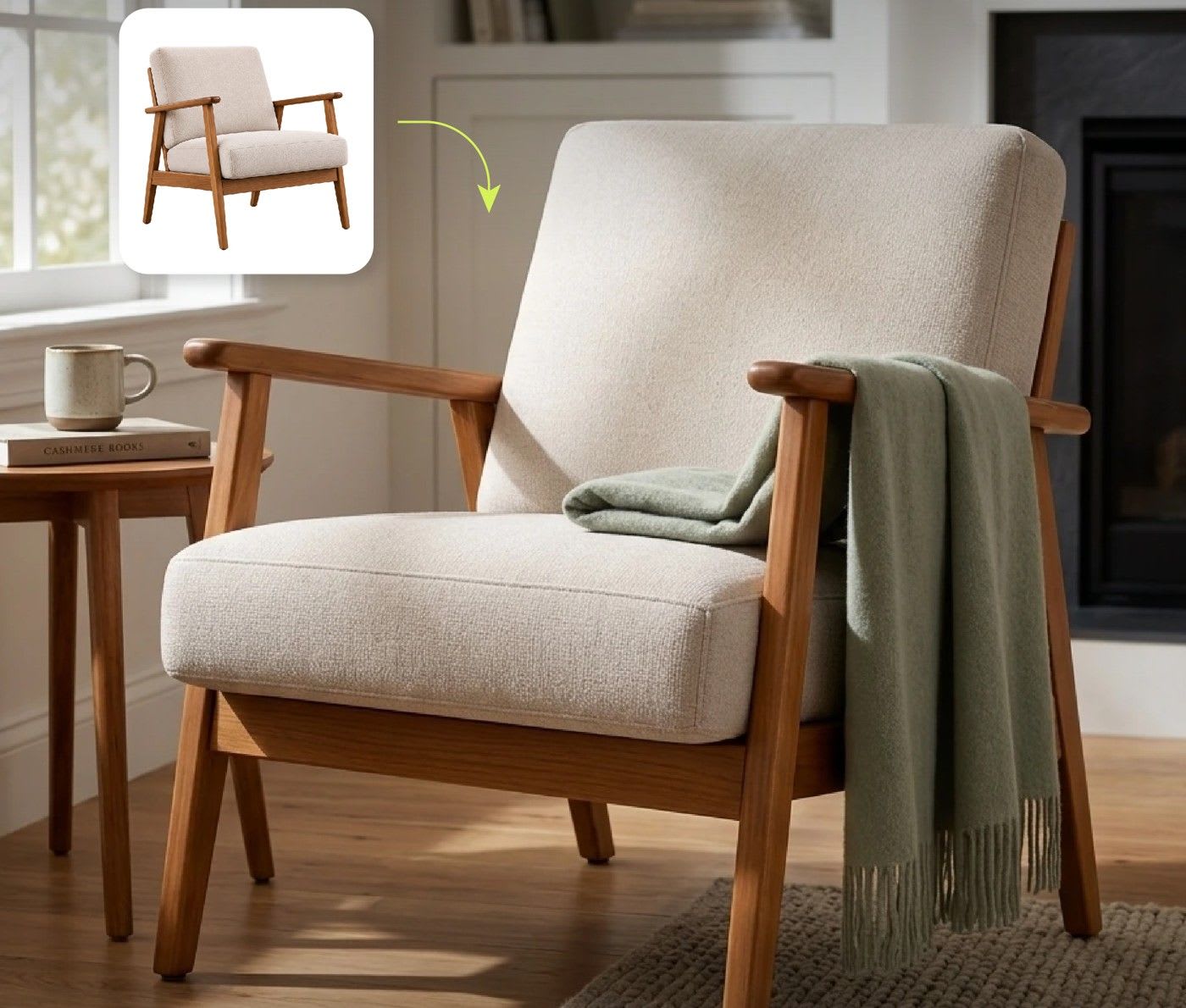
The original product and the image generated from it. It isn't a different armchair: it's the same one.
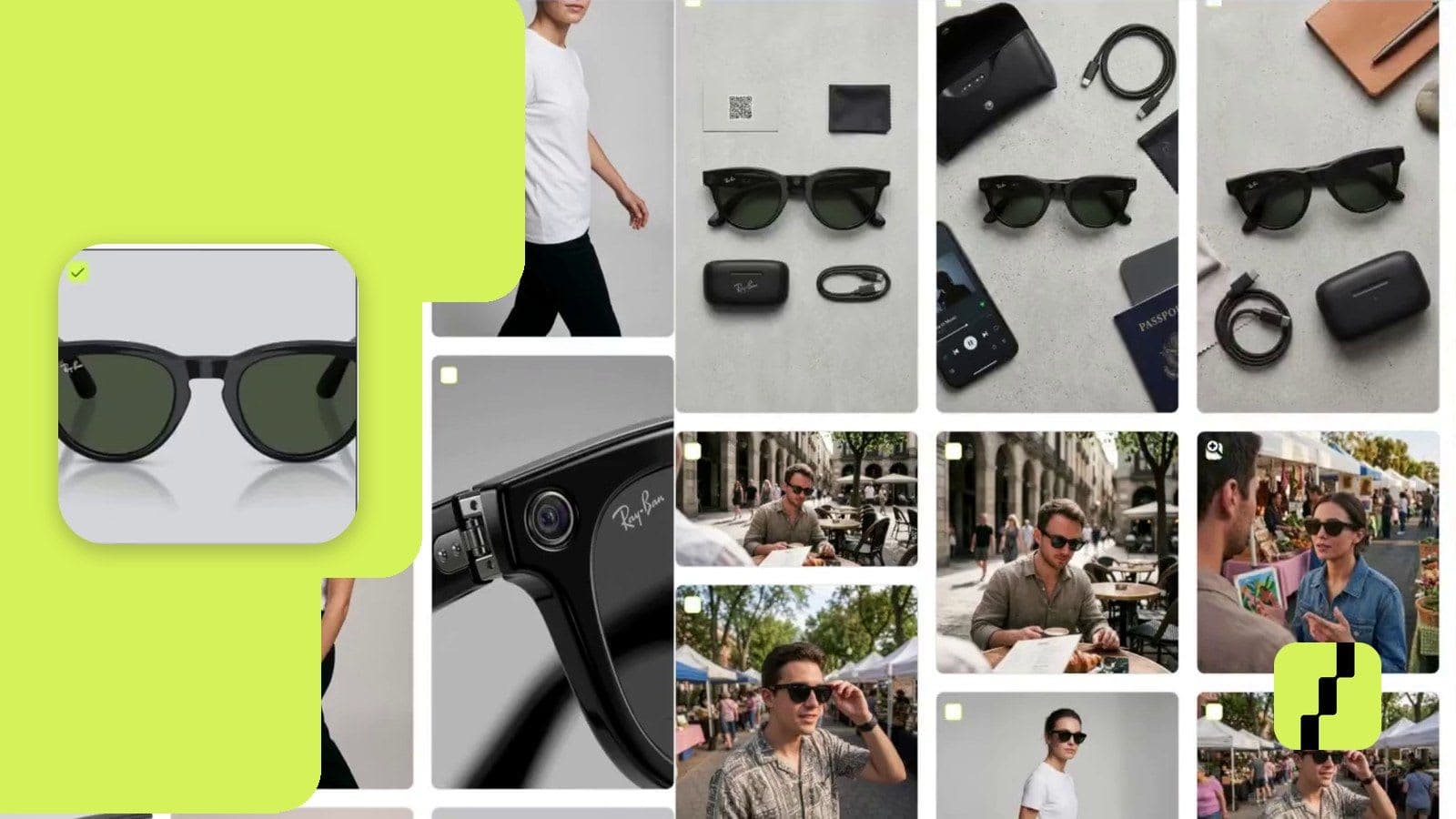
For apparel and accessories, the Model Shot style builds the shot with a model starting from a garment on a hanger, folded or on a mannequin. No casting, no studio, no production day.
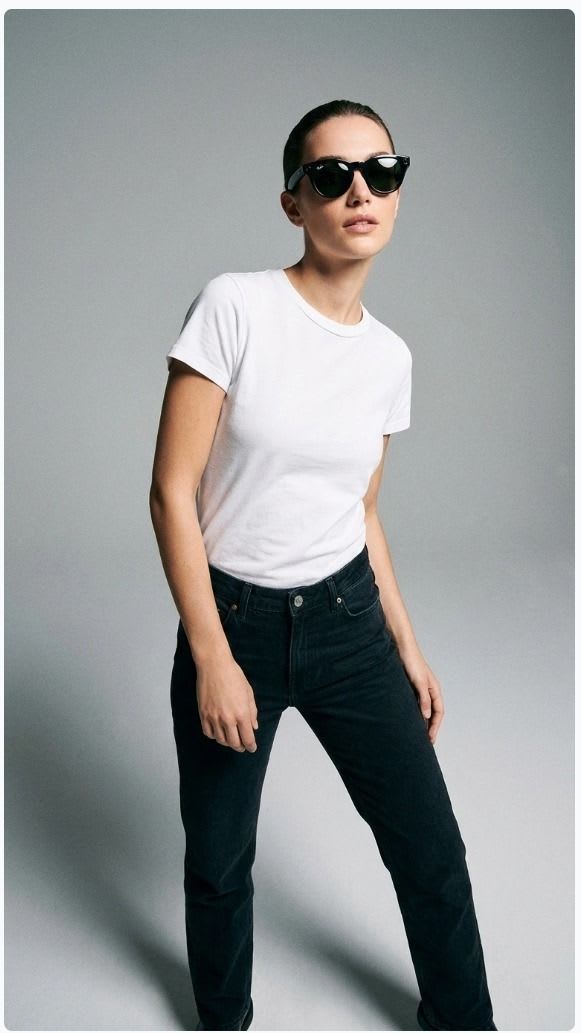
A shot with a model, generated from the real product in the catalog.
The time you stop spending on production
A photo shoot isn't the hours of the day it lasts. It's the hours of coordinating the photographer, choosing which products make the cut, reviewing the shots, asking for changes and waiting on the edit.
That time comes back as things that actually move the business. The product that comes in today and goes live today. The campaign that ships while the date is still worth something. The hours you put into customers, into choosing what to buy, into selling.
Every new product stops being a pending photo shoot and becomes 10 minutes.
Native and external integrations: what's the difference
In both you connect your store and we read your catalog on our own: the products, the titles and the images you already have come in without you uploading anything by hand. The difference is in the last step.
| Native | External | |
|---|---|---|
| You connect your store | Yes | Yes |
| We read your catalog | Yes | Yes |
| You generate images, videos and ads | Yes | Yes |
| You download what you generated | Yes | Yes |
| You publish to your store from Shoptic | Yes | No |
The 8 native integrations are Tiendanube (also Nuvemshop), Mercado Libre (also MercadoShops), WooCommerce, Shopify, VTEX, Wix, Squarespace and PrestaShop.
The 4 external ones are Empretienda, Magento (Adobe Commerce), Jumpseller and "Other platform", which is the option for any store that generates a Google Shopping feed, the standard format ecommerce platforms use to publish products on Google. Your platform doesn't have to be listed by name for us to read your catalog.
With an external one you don't generate less or worse: you generate exactly the same thing, with the same styles and the same quality. The only step that changes is the last one, which you do in your store's dashboard. In new integrations: we connect with 12 platforms there's the detail on each one.
Generating images with AI without knowing AI
The AI market changes every day: new models, new terms, constant launches. You don't have to follow any of it.
In Shoptic you don't write prompts. You pick a style from a library built by people who know what image sells in ecommerce, and you generate. The technology behind it is our responsibility, not yours.
That's also the difference from a generic AI tool. With a generic one you have to describe the product, upload the photo, generate, download and upload it again by hand to your store. We start from your catalog and, on native integrations, we finish on your product page.
No photo shoot: who this makes sense for
You're starting out. You can't pay for photo production yet and you need pages that don't look improvised.
Your catalog grows faster than you can photograph it. There's a queue of products waiting for their photo and it never gets shorter.
You want to test a product before investing. You generate the images, publish it, and only if it works do you book the shoot.
You handle several brands or clients. On the Business plan you connect up to 3 stores in the same account, and they can be on different platforms.
And it isn't only about your own catalog. According to the 2025 CACE Annual Ecommerce Study, 85% of consumers looked for information online before buying in a physical store, mainly through search engines (59%) and marketplaces (36%). Your product gets looked at in several places before anyone decides, and in all of them the first thing they see is the image.
How much Shoptic costs
Starting is free: 100 credits, no expiry and no credit card.
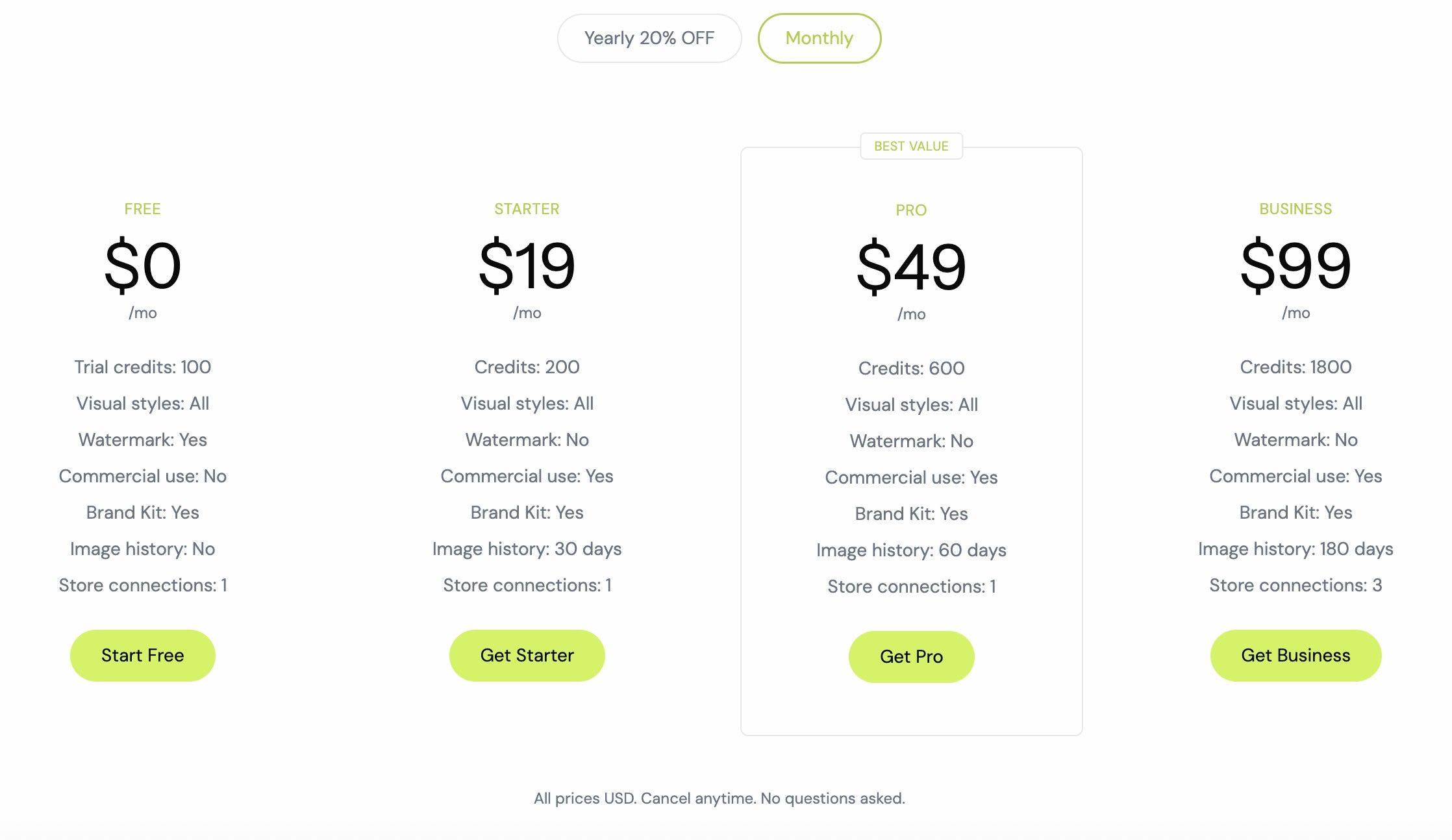
Plans differ in credits, image history and number of connected stores. Multi-store belongs to Business.
Credits are consumed by what you generate (an image, a video, a page) and not by the platform you have connected. We charge the same for an external integration as for a native one. How the shared credit pool works when several stores are connected is in how to manage multiple online stores from a single account, and current conditions are on the pricing page.
What it doesn't do yet
We'd rather say it before you find out on your own.
The Free plan works on one product. The 100 free credits are used on the product you choose, so you can see the quality on something of your own. To work on your whole catalog you need a paid plan.
The Brand Kit is Pro and up. Applying your brand's colors and elements to the images isn't in Free.
Publishing from Shoptic is only on the 8 native integrations. On external ones you download and upload from your own dashboard.
Each connection is independent. If you have several stores, you work them all from the same account and with the same credit pool, but content is generated per store: if you want the same image on your own store and on the marketplace, you generate it on each one.
Related articles
- New integrations: we connect with 12 platforms
- How to manage multiple online stores from a single account
- How to optimize your ecommerce product listings
- Tiendanube walked through Shoptic end to end: watch the full demo
Frequently asked questions
What is Shoptic?
Shoptic is an app for generating product photos with AI, connected directly to your ecommerce store. You pick a product from your catalog, pick a style and generate the image in one click, with no photo shoot, no photographer and no designer. The same catalog also produces videos, ads and the content for your product pages. It has 12 ecommerce integrations, and number 12 is any store that generates a Google Shopping feed.
Which ecommerce platforms does Shoptic work with?
We have 8 native integrations: Tiendanube (and Nuvemshop), Mercado Libre (and MercadoShops), WooCommerce, Shopify, VTEX, Wix, Squarespace and PrestaShop. And 4 external ones: Empretienda, Magento (Adobe Commerce), Jumpseller and the "Other platform" option, which connects any store with a Google Shopping feed even if we don't have it listed by name.
Do I have to upload my images to Shoptic?
No. Through the connection with your store, your products are already inside with the images and titles you have today. You pick the product from the list and generate from there.
How is this different from using a generic AI tool?
We close the loop. With a generic tool you describe the product, upload the photo, generate, download and upload it again by hand to your store. We start from your real catalog and, if your integration is native, we finish on the product page without you leaving Shoptic.
Do I need to know about AI or write prompts?
No. You pick a product and a style from a library that's already built, and you generate. There's no need to write prompts or follow model releases.
Do the images publish themselves to my store?
No. On native integrations you publish from Shoptic, but you're the one who chooses which images go on the page and in what position. On external ones you download them and upload them from your store's dashboard.
Can I use the Free plan images on my store?
Yes. Since September 2026, Free plan images come out without a watermark and with commercial use: you can publish them on your product page, on social media and in your ads. The 100 free credits, which don't expire, are used on one product of your choice; to work on your whole catalog you need a paid plan.
What is a credit?
It's the unit we charge each generation in. An image, a video or a page consume a different amount of credits. What gets consumed depends on what you generate, not on the platform you have connected.
Try it with your most important product
Connect your store and generate the first image of your best-selling product.
Share article: